
Qwen-Image-Edit-2511: Stable Image Editing with Diffusers, LoRA, and Consistency
Meet Qwen-Image-Edit-2511, an upgraded Qwen image editing model that reduces drift, boosts character consistency, and ships with integrated LoRA effects. Quick Diffusers code included.
Published 299 days ago. Content may be outdated.
What is this model for?
If your expectation for an image editing model is:
- You upload an image, ask for edits like “make the hat red” or “change the background to a night scene”, and it does the job without wrecking the face.
- You provide two images, and it can fuse elements from both into something coherent.
Then Qwen-Image-Edit-2511 is exactly in that lane.
Officially, it’s an enhanced version of Qwen-Image-Edit-2509, focusing on better consistency and less image drift, with extra improvements for practical scenarios like industrial design and geometric reasoning.
What’s new in 2511 vs 2509
- Less image drift
- When you ask for a local change, the model is less likely to “drag” the whole image style/details away.
- Improved character consistency
- Especially for portraits/characters, identity features are easier to preserve.
- Integrated LoRA capabilities
- Selected popular community LoRA effects are integrated into the base model, so you can benefit without extra LoRA loading/tuning.
- Better industrial design generation
- More stable for product/engineering-looking visuals.
- Stronger geometric reasoning
- Better at structured geometry, auxiliary lines, and more “design-like” outputs.
Two ways to try it
- Online: use Qwen Chat and select Image Editing
- Local: run with
diffusers(minimal working snippet below)
If you want to integrate it into a workflow, local inference is usually the better choice for batching and reproducibility.
Quick Start: run with Diffusers
The README suggests installing the latest diffusers from GitHub:
pip install git+https://github.com/huggingface/diffusersThen use QwenImageEditPlusPipeline:
       import os
import torch
from PIL import Image
from diffusers import QwenImageEditPlusPipeline

pipeline = QwenImageEditPlusPipeline.from_pretrained(
    "Qwen/Qwen-Image-Edit-2511",
    torch_dtype=torch.bfloat16,
)
print("pipeline loaded")

pipeline.to("cuda")
pipeline.set_progress_bar_config(disable=None)

image1 = Image.open("input1.png")
image2 = Image.open("input2.png")

prompt = (
    "The magician bear is on the left, the alchemist bear is on the right, "
    "facing each other in the central park square."
)

inputs = {
    "image": [image1, image2],
    "prompt": prompt,
    "generator": torch.manual_seed(0),
    "true_cfg_scale": 4.0,
    "negative_prompt": " ",
    "num_inference_steps": 40,
    "guidance_scale": 1.0,
    "num_images_per_prompt": 1,
}

with torch.inference_mode():
    output = pipeline(**inputs)
    output_image = output.images[0]
    output_image.save("output_image_edit_2511.png")
    print("image saved at", os.path.abspath("output_image_edit_2511.png"))
A simple intuition for the knobs
num_inference_steps- More steps usually means more stable and detailed results, but slower. The official example uses
40.
- More steps usually means more stable and detailed results, but slower. The official example uses
true_cfg_scale- Think “how strongly it follows the prompt”, but not “higher is always better”.
4.0is a safe start.
- Think “how strongly it follows the prompt”, but not “higher is always better”.
guidance_scale- The example uses
1.0, suggesting it’s not relying on very high classic guidance to force results.
- The example uses
The big headline: consistency
The official showcase emphasizes:
- Better single-person consistency: imaginative edits on a portrait, while keeping identity/visual traits.
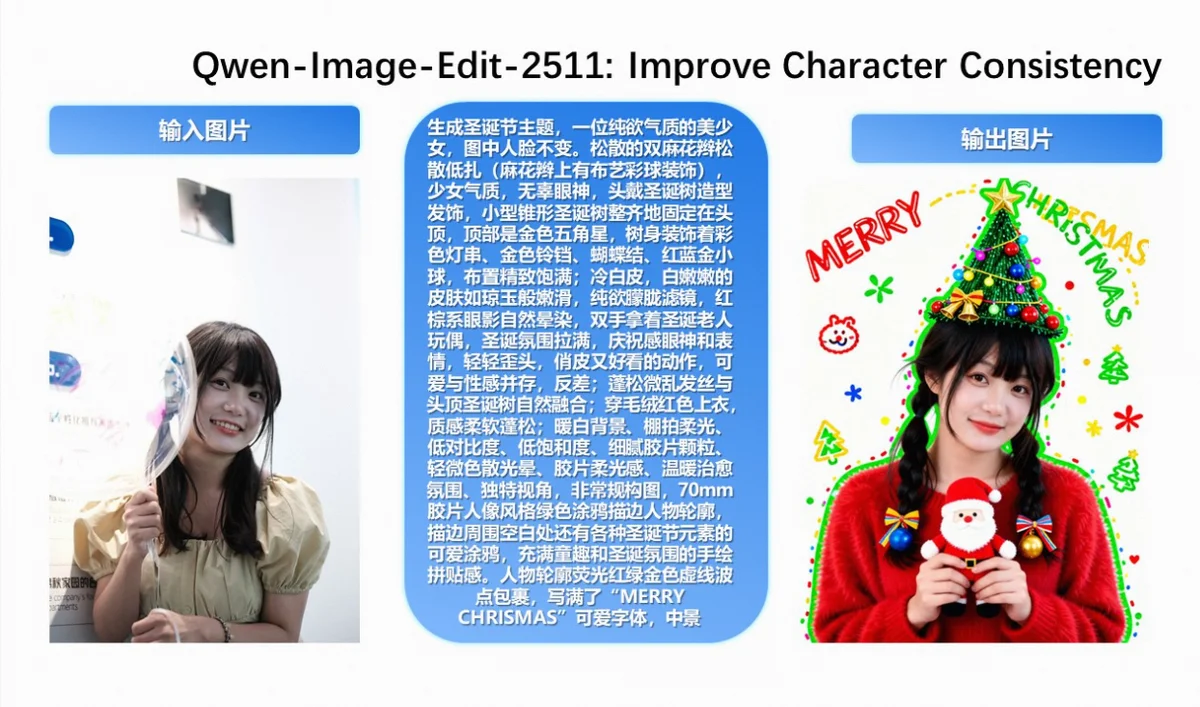
- Better multi-person consistency: group photos are less likely to drift into “different people” or inconsistent styles.
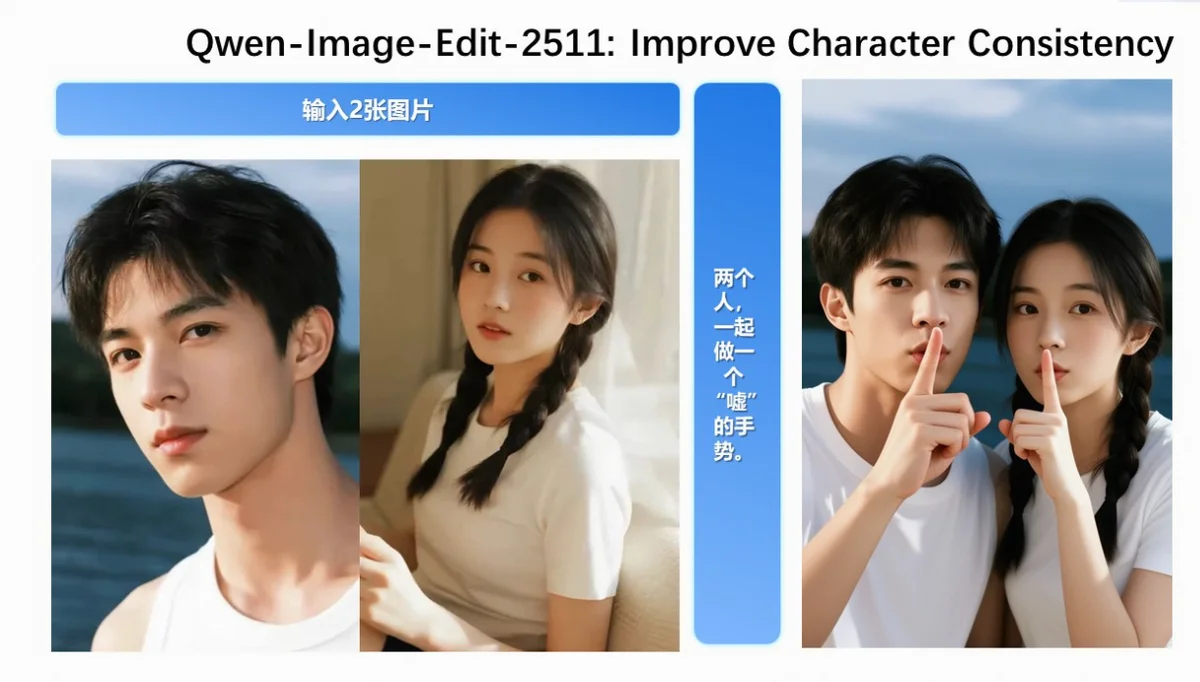
If you’re doing IP character series, poster edits, or multi-image fusion, this is where 2511 is supposed to shine.
What “integrated LoRA” really means
This matters: Qwen-Image-Edit-2511 integrates selected popular community LoRAs into the base model.
- Good news: fewer moving parts; you can get certain lighting/style effects out-of-the-box.
- Tradeoff: the base model may have stronger “built-in preferences”, so your prompt constraints may need to be more explicit.
Industrial design + geometric reasoning: practical CV use cases
Many image editing models look great on artistic samples, but struggle when you need:
- Clean shapes
- Symmetry
- Solid perspective
- Structured lines
Since the README calls out industrial design and geometric reasoning explicitly, it’s a good signal that 2511 targets those more demanding “design/engineering” scenarios.
Resources
- Hugging Face
- ModelScope (README / weights)
- Tech Report (Qwen-Image)
- Demo (HF Spaces)
More Articles






